In today’s business world, technology plays a crucial role in driving success. But for small and medium-sized enterprises (SMEs). Managing IT infrastructure can become a burden. Here’s where managed IT services come in. Managed IT services allow SMEs to outsource the management and support of their IT systems to a third-party provider, freeing up time …
What Are Managed IT Services?
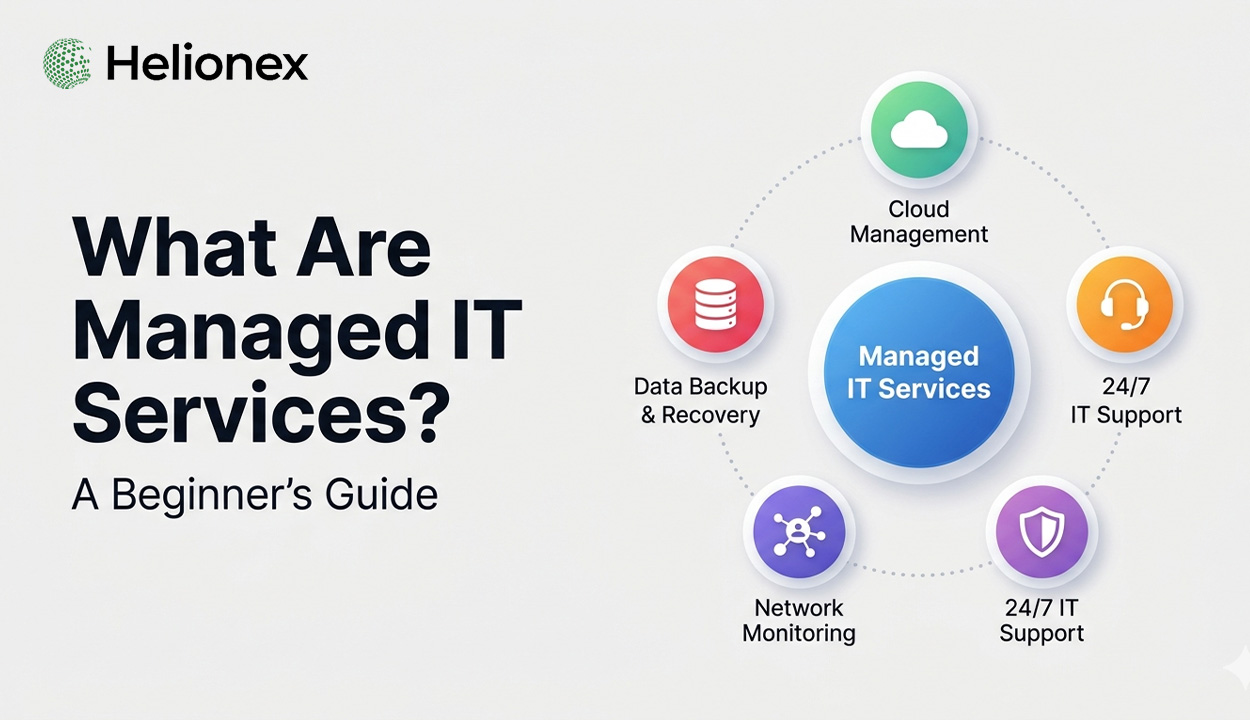
Managed IT services refer to the outsourcing of IT operations to a service provider. This provider is called a Managed Service Provider (MSP), and they manage a variety of IT functions such as network monitoring, data backup, security, and support. Instead of hiring an internal IT team, businesses can partner with an MSP to ensure their IT infrastructure is maintained, optimised, and secure. Managed IT services offer businesses the opportunity to leverage expert support and infrastructure management without the need for in-house teams.
Why Choose Managed IT Services?
Managed IT services offer numerous advantages for businesses, especially small and medium-sized enterprises (SMEs) looking to optimise their IT operations. By partnering with a Managed Service Provider (MSP), SMEs gain access to a team of skilled professionals who manage and monitor IT systems, ensuring optimal performance, enhanced security, and reduced downtime. One of the primary reasons to choose managed IT services is cost efficiency. It eliminates the need for expensive in-house IT teams while still providing expert support and robust infrastructure. Additionally, managed IT services are scalable, enabling businesses to adapt to changing needs without the burden of constantly upgrading internal systems. This flexibility, combined with proactive maintenance, makes it an ideal solution for companies aiming to focus on growth rather than IT challenges.
- Cost-effective: You don’t have to maintain an in-house team or invest in expensive equipment.
- Expert support: Get access to experts and specialised skills that would be difficult to maintain internally.
- Focus on core business: You can focus on running your business while your MSP handles IT issues.
- Scalability: As your business grows, MSPs can scale your IT infrastructure to meet increasing demands.
How Do Managed IT Services Work?
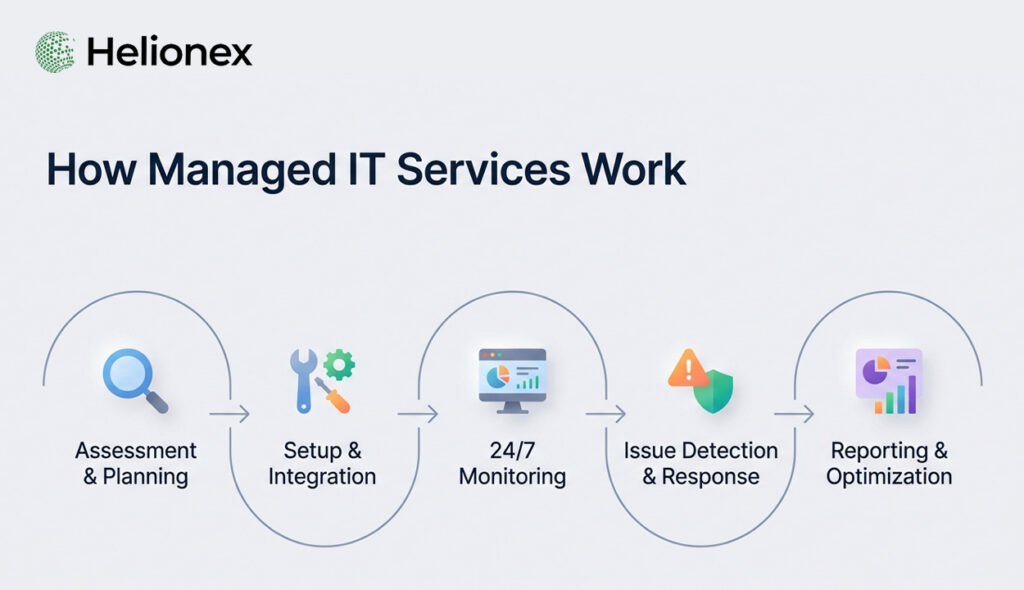
Managed IT Services work by outsourcing your business’s IT needs to a third-party provider, known as a Managed Service Provider (MSP). The MSP takes full responsibility for managing and maintaining your IT infrastructure, including network management, cybersecurity, data backups, and technical support. They offer a proactive approach by constantly monitoring your systems to identify and fix issues before they disrupt operations. Most MSPs use remote monitoring tools to oversee your IT environment 24/7, ensuring that everything runs smoothly. Additionally, they provide access to specialised expertise, allowing your business to focus on core operations without worrying about IT management. Managed IT services are typically offered through subscription-based pricing models, ensuring predictable costs and scaling with your needs.
What Are Managed IT Services? Managed IT services can be structured in various ways depending on the needs of your business. These services can range from remote monitoring and management to full-scale IT management, depending on the agreement with the service provider. By tailoring managed IT services to specific business requirements, companies can ensure they are getting the most efficient and effective support for their IT needs.
Helionex offers 24×7 IT support to ensure your systems stay operational and issues are resolved quickly, even outside business hours. This service helps businesses maintain productivity and minimise downtime with round‑the‑clock monitoring and expert assistance.
- Remote Monitoring and Management (RMM)
- Data Backup and Recovery
MSPs ensure that your data is regularly backed up and that your business has a disaster recovery plan in place in case of data loss or security breaches. - Security Services
With increasing cyber threats, MSPs provide robust security services to protect your business. This includes firewall management, malware protection, and data encryption. Identity and Access Management (IAM) services help secure user access and protect business systems by controlling who can access what and when. By managing permissions and authentication centrally, IAM strengthens security and reduces internal risk. - 24/7 IT Support
How Do Managed IT Services Work?
Proactive Monitoring and Maintenance
Customized Solutions Tailored to Your Needs
Expert IT Support on Demand
One of the significant advantages of managed IT services is access to a team of IT professionals without the need to hire in-house experts. MSPs provide expert support for a wide range of IT issues, from network security and data recovery to cloud management and software troubleshooting. This gives you peace of mind knowing that highly-skilled engineers are just a phone call or email away, ready to resolve issues quickly and efficiently whenever they arise. Proactive monitoring is key to preventing network breaches before they happen. Network Monitoring & Security services continuously watch your environment, detecting anomalies and protecting against threats in real time. Explore these capabilities here: Helionex Network Monitoring & Security.
Benefits of Managed IT Services for SMEs
1. Cost Savings
Outsourcing your IT needs to a managed service provider can be more affordable than hiring a full-time in-house IT team. MSPs provide the same level of support and expertise, but for a fraction of the cost.
2. Improved Security
3. Scalability
As your business grows, your IT needs will evolve. MSPs can scale their services and provide you with the right solutions at each stage of your business, making it easier for you to expand without worrying about your IT infrastructure.
4. Focus on Core Business
Managed IT Services Costs: What You Need to Know
Understanding the costs of Managed IT Services is crucial for SMEs to make informed decisions. Typically, managed IT services are billed through a subscription model, with costs varying based on business size, service complexity, and the level of support required. Common pricing models include per-user or per-device fees, making it easier to scale with your business. While managed IT services often cost less than maintaining an in-house IT team, hidden fees such as contract renewals, setup charges, and additional service requests can add up. It’s important to consider both direct costs and potential long-term expenses when evaluating the best solution.
The cost of managed IT services depends on various factors, including the size of your business, the type of services you require, and the level of support you need. Most MSPs offer pricing models based on per-user, per-device, or tiered service plans.
Pricing Models:
- Per-user pricing: Charges based on the number of users in your organization.
- Per-device pricing: Charges based on the number of devices being supported.
- Tiered pricing: Offers different pricing based on the level of service required (basic support, advanced support, or enterprise-level support).
Key Risks and Challenges of Managed IT Services
While managed IT services come with many benefits, there are also some risks to consider:
- Dependency on the Service Provider: Relying on a third-party provider means you’re dependent on their performance and reliability.
- Hidden Fees: Some managed service contracts may have additional fees that aren’t initially clear, such as charges for extra services or after-hours support.
- Quality Control: Ensuring that the MSP consistently meets your expectations is important. A lack of quality control can affect your business’s performance.
How to Choose the Right Managed IT Service Provider?
Choosing the right Managed IT Service Provider (MSP) is crucial for the success of your business’s IT operations. Start by assessing the provider’s experience and expertise in your industry, ensuring they have a proven track record of supporting businesses similar to yours. Security capabilities should be a top priority—verify that the MSP complies with relevant data protection regulations and offers robust cybersecurity measures. Look for customised service offerings to ensure the provider can tailor their solutions to your unique needs. Additionally, review their Service Level Agreements (SLAs) to ensure they meet your expectations for uptime, support response time, and issue resolution. Finally, consider their scalability and flexibility a good MSP should grow with your business and offer adaptable solutions as your needs evolve.
When choosing an MSP, consider the following factors:
- Experience and Expertise: Ensure the provider has experience working with businesses of your size and in your industry.
- Reputation: Look for a provider with a solid track record of customer satisfaction.
- Cost and Contract Flexibility: Compare pricing models and ensure the contract terms align with your business’s needs.
- Support and Communication: Choose a provider that offers 24/7 support and clear communication.
- Scalability: Ensure the provider can scale their services as your business grows.
Why Choose Helionex as Your Managed IT Services Partner?
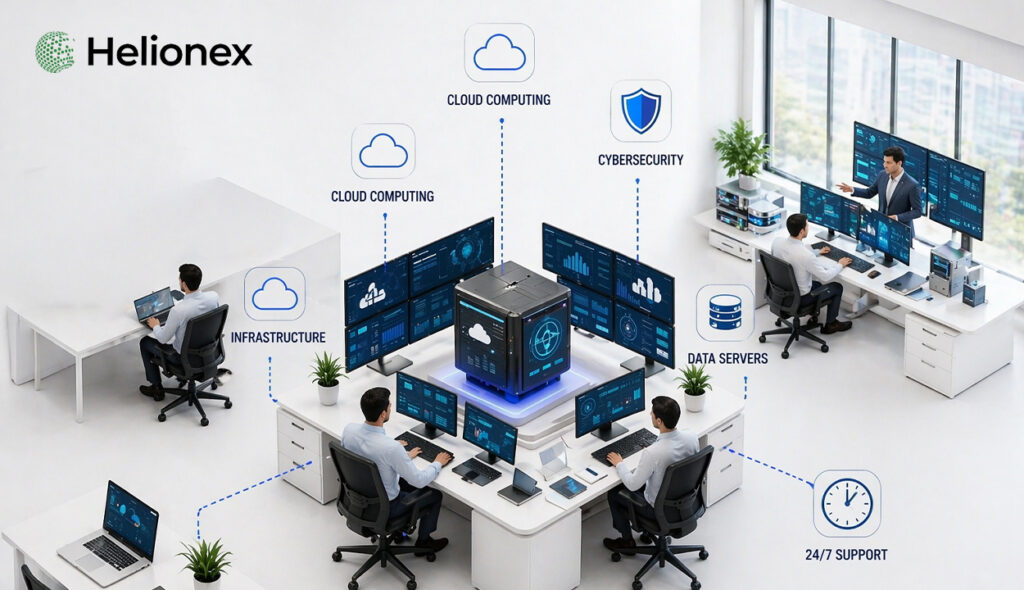
Choosing Helionex means having a dedicated team of experts who will tailor IT solutions to your specific needs, helping you reduce downtime, improve security, and stay focused on growing your business.
Conclusion:
Choosing the right MSP is crucial to ensuring seamless IT operations and growth. By outsourcing your IT needs to professionals, you gain the peace of mind that comes with knowing your IT infrastructure is in expert hands, allowing you to focus on business growth.
FAQ
1. What are the hidden costs of managed IT services?
2. How much do managed IT services cost?
The cost of managed IT services depends on your business’s size and needs. On average, small businesses can expect to pay anywhere between $50 to $150 per user per month.
3. What is the best time for SMEs to consider managed IT services?
4. Can managed IT services help with data security?
Yes, managed IT service providers offer cybersecurity solutions, including data encryption, firewall management, and malware protection, to ensure your data is secure.
5. What are the risks of outsourcing IT?
The main risks include dependency on the service provider, hidden costs, and potential issues with quality control. It’s essential to choose a reputable MSP and ensure clear communication about service expectations.